Roburbia Guides Hub
First-hour walkthroughs, money loops, vehicles, babies, cooking, fishing, and Garden Update tips.
Welcome to the Roburbia guides hub. Roburbia is a cozy free life sim by Lúmen Studio on Roblox (currently in Beta), and this section is built for players who want practical steps instead of scattered Discord tips. Use these pages when you are starting a new save, grinding coins for a vehicle, adopting your first baby, cooking Garden Update harvests, fishing the valley pond, or turning a blank lot into a greenhouse-ready home.
Every guide below is written for the live Beta loop: Character Studio, a starter home you can decorate, career shifts you clock into from your phone, optional babies with daycare (you can carry two at once per official notes), plant beds you water daily, kitchen cooking, and pond fishing. If you only have ten minutes, open Getting Started first, then jump to the money or lifestyle page that matches your goal.
Core beginner path
- Getting Started — Character Studio, tour the starter home, clock into a first job, set an optional baby goal, and learn where to check updates. Ideal first read for a fresh account.
- Jobs and Money — Florist, market, diner, delivery, gardening, and fishing loops; how to clock in; observed pay ranges; promotions; daycare while you work; and the STAR EMPLOYEE pass.
- How to Get a Car — Buy bikes, cars, and delivery trucks from the build catalog, budget with job income, and plan car seats when you raise babies.
Lifestyle and family
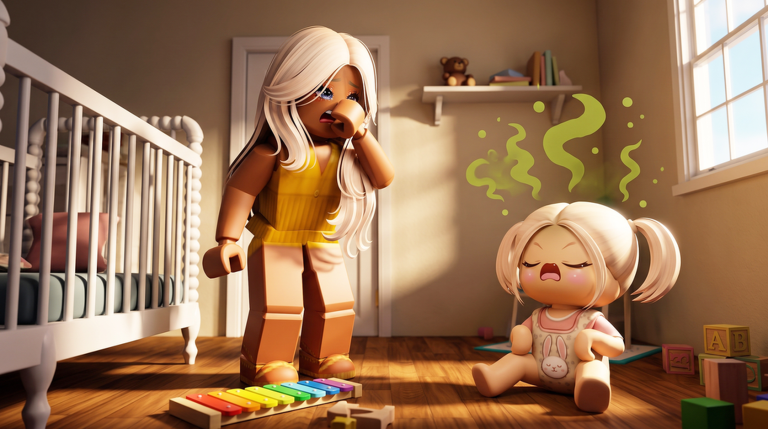
- Babies Guide — Adopt at Town Hall, manage hunger, diaper, fun, and potty needs, teach walk and talk, use lap carry, carry two at once, drop off daycare, or find them a new home.
- Gardening — Garden Update crops (carrots, corn, pumpkins, cranberries, sunflowers, apple trees), daily watering, harvest, sell or cook, and glass greenhouses.
- Cooking — Home oven baking, slice servings, garden-to-kitchen workflow, and how home meals differ from the diner career.
- Fishing — Valley pond routes, calm Cash blocks, and how fishing pairs with watering and vehicles.
- Home Building — Build mode tools, furniture placement, roofs, copy-paste, ARCHITECT shapes, ADVANCED PLACING, DECALS, BUILD SLOTS, and how builds connect to gardens and vehicles.
How to use this hub
Start with one clear goal. If you need coins fast, run florist or delivery shifts from Jobs and Money before shopping the vehicle catalog in How to Get a Car. If you want a family roleplay loop, finish the first-hour checklist in Getting Started, then follow Babies Guide and keep daycare fees in mind when you clock in. Builders should open Home Building and Gardening together so plant beds, shelves, and greenhouse glass sit on a clean foundation. After harvests, continue into Cooking; when you need a calm break, use Fishing.
Cross-check seasonal changes on the Updates Hub after every patch. Promo rewards and redemption steps live on the Codes page. When you are comparing paid passes or ranking career value, use the Tier List Hub next to the jobs guide so you do not buy Robux boosts before you understand the free grind.
Suggested reading order
- Getting Started for controls, phone careers, and the starter lot.
- Jobs and Money until you can fund furniture or a bike.
- Home Building or Gardening depending on whether you want interiors or outdoor plots first.
- Cooking once you have an oven and a first harvest.
- How to Get a Car once you have a few thousand coins saved.
- Babies Guide when you are ready for Town Hall adoption and daycare logistics.
- Fishing as the flexible downtime loop between bigger goals.
Creators often call delivery one of the higher-paying loops and florist a reliable early bouquet route (roughly 37–59 coins per completed sale in community testing). Treat those numbers as observed Beta values, not hard guarantees—patch notes can move pay and promotion timers. Standing still can pause your shift clock, so keep moving while you are on the clock.
Related wiki sections
Pair these guides with Codes for free boosts, Updates for Garden Update cooking and valley notes, and the Tier List Hub when you evaluate STAR EMPLOYEE or build-related gamepasses. The PC nav dropdown shows up to eight entries per category and links “View all” back here when the list grows—bookmark this hub as the full map of every Roburbia tutorial on the wiki.
Frequently Asked Questions
Quick answers to the most common Roburbia questions.
Which Roburbia guide should I read first?
Open Getting Started for Character Studio, your starter home, and the first career shift. Then move to Jobs and Money if you need coins, or Babies Guide if you want to adopt right away.
Do these guides cover the Garden Update?
Yes. The Gardening page covers plant beds, watering, harvest, selling or cooking crops, greenhouses, and the fishing pond. Check the Updates Hub after each patch for changelog details.
Where do cars and babies fit in the guide list?
How to Get a Car explains the build-mode vehicle catalog and budgets. Babies Guide covers Town Hall adoption, needs, daycare, and the two-baby limit creators report.
Is Roburbia free to play?
Roburbia is a free Roblox life sim by Lúmen Studio in Beta. Optional passes like STAR EMPLOYEE cost Robux, but jobs, homes, gardening, and babies are available without paying.