Getting Started in Roburbia
From Character Studio to your first paycheck in the cozy Lúmen Studio life sim.
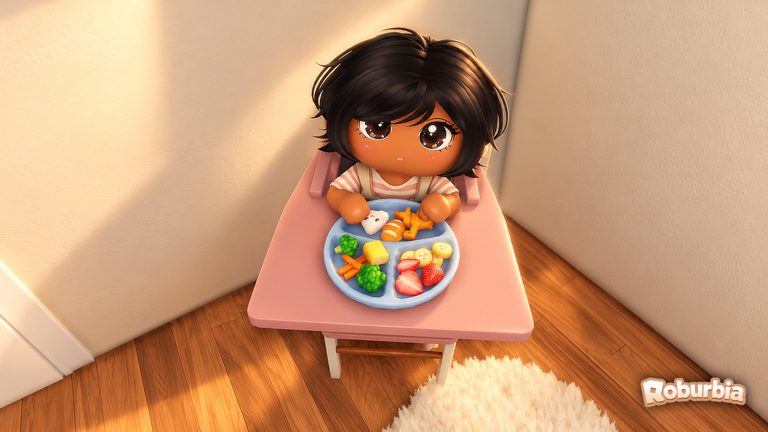
Roburbia is a cozy free life sim by Lúmen Studio on Roblox, currently in Beta with the Garden Update live. Your first hour should establish an avatar you like, a tidy starter home, a reliable job loop, and a shortlist of longer goals such as a vehicle, a garden bed, or a baby. This guide walks that path in order so you do not waste coins on the wrong catalog items or miss how the phone careers menu works.
Play from the official experience page and treat community pay numbers as Beta observations—they can shift after patches. Bookmark the Guides Hub and skim Updates after each session so you know when florist rates, plant lists, or build tools change.
Step 1 — Character Studio
Open Character Studio before you sprint into town. Roburbia leans on avatar presentation for roleplay, photos, and job uniforms, so spend a few minutes on hair, outfit layers, and colors that still look readable on mobile. Keep one “work” look and one “home” look in mind; you will return to Studio later when you unlock furniture themes or family roleplay outfits.
Do not overspend early cosmetics if the shop asks for large coin piles. Your first few thousand coins are better saved for a bike, basic furniture, or garden supplies covered in How to Get a Car and Gardening.
Step 2 — Explore the starter home
Every new player gets a starter home. Walk the lot, open build mode (house and hammer), and note where walls, roofs, and outdoor plots sit. The furniture and couch-style catalog icon is also where vehicles hide at the bottom of the list—useful later, but ignore cars until you understand income.
Use this tour to decide a short renovation goal: a clean kitchen for cooking harvests, an outdoor bed row for carrots or sunflowers, or a nursery corner if you plan to adopt. The Home Building guide explains ARCHITECT shapes, ADVANCED PLACING, DECALS, copy-paste, and BUILD SLOTS when you are ready for deeper edits.
Step 3 — Clock into your first job
Open your Phone → Careers, pick a job, then use Go to work / Teleport. Stand in the marked circle to start the shift. Important Beta quirk: standing still can pause the shift clock, so keep moving while you complete tasks.
Strong first choices:
- Florist — Follow the board for rose, sunflower, or lavender orders, pick the flowers, build the bouquet, then ring up the sale. Community testing often lands roughly 37–59 coins per completed bouquet loop, which is friendly for new players.
- Market — Push carts, run the register, and mop. Promotions can increase cart capacity, so this job scales if you stay for longer shifts.
- Diner — Service loop for players who prefer indoor stations.
- Delivery — Frequently called a high payer by creators once you can handle the route pace.
- Gardening and fishing — Softer lifestyle income that pairs with outdoor plots and the pond.
Full pay notes, promotion timing, daycare while working, and the STAR EMPLOYEE pass (double pay and faster promotion for 249 Robux) live in Jobs and Money. Finish at least one clean shift before you open the vehicle catalog.
Step 4 — Optional baby goal
If family play is your main reason to join Roburbia, set a baby goal after you can afford daycare. Adoption starts at Town Hall (first door on the right). Babies are NPC dependents with hunger, diaper (watch for the green cloud), fun, and potty needs. You can lap-carry them, teach walk and talk, and creators report a max of two babies. Daycare costs about 30 coins per day per child when you clock in—put the baby on the floor before the daycare teleport. Details, give-up options, and car-seat tips are in the Babies Guide.
Skip adoption on hour one if your coin balance is still tiny. A bike and a stocked fridge matter more than a second crib on day one.
Step 5 — Pick a mid-session project
After one or two shifts, choose a single sink for coins:
- Mobility — Bike first (cheaper, slower), then a car around 5,000 coins, then a delivery truck near 30,000 if you main delivery routes. See How to Get a Car.
- Garden — Plant carrots, corn, pumpkins, cranberries, sunflowers, or apple trees; water daily; harvest; sell from a basket or cook. Greenhouses and shelves are covered in Gardening.
- Interior — Roofs, furniture, and decals via Home Building.
Cooking recipes, oven baking, and serving by the slice arrived in the Harvest Update era and pair well with garden harvests once your kitchen exists.
Step 6 — Check codes and updates
Before you log off, redeem anything active on Codes and skim Updates for Garden Update plant lists, job tweaks, or build-tool changes. Beta life sims move quickly; a five-minute patch check prevents you from grinding an outdated florist board or missing new greenhouse pieces.
First-hour checklist
- Finish Character Studio with a readable everyday outfit.
- Walk the starter home and mark outdoor plot space.
- Phone → Careers → teleport → stand in the circle → complete one florist or market shift without AFK pauses.
- Bank coins toward a bike or basic furniture—not impulse catalog spam.
- Decide whether tomorrow’s goal is garden beds, a car fund, or Town Hall adoption.
- Redeem Codes and read Updates.
Follow that loop and your second session starts with cash, a familiar lot, and a clear wiki path through jobs, vehicles, babies, gardening, and building.
Frequently Asked Questions
Quick answers to the most common Roburbia questions.
What should I do first in Roburbia?
Customize in Character Studio, explore the starter home, then clock into a job from Phone → Careers. Complete one full shift before buying vehicles or adopting.
How do I start a job shift?
Open Phone → Careers, choose a job, tap Go to work or Teleport, then stand in the on-site circle. Keep moving—standing still can pause the shift clock.
Which first job is best for beginners?
Florist is a clear early loop with community-reported sales around 37–59 coins. Market and diner are solid alternatives; delivery often pays more once you are comfortable with routes.
Should I adopt a baby in the first hour?
Only if you can cover daycare (about 30 coins per child per workday) and basic needs. Otherwise fund a bike or garden beds first, then follow the Babies Guide.
Where do I see new Roburbia content?
Check the Updates Hub after each patch and redeem active rewards on the Codes page before they expire.