Roburbia Babies Guide
Adoption, need meters, daycare, car seats, dual carry, and family logistics explained.
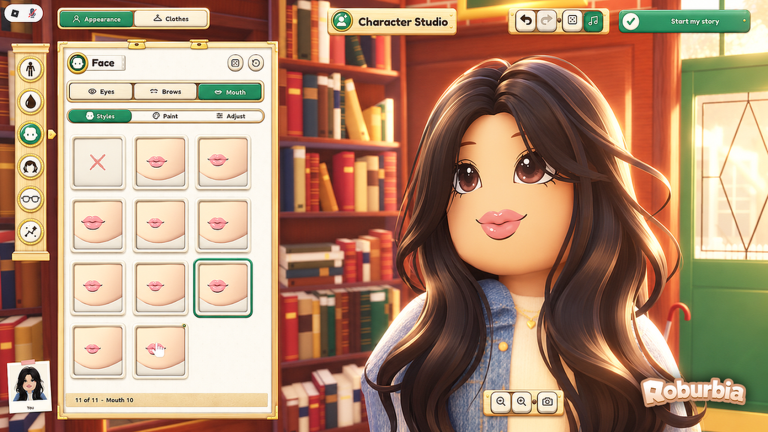
Babies are one of the biggest lifestyle features in Roburbia, the cozy free Roblox life sim by Lúmen Studio. This guide covers adoption at Town Hall, need meters, teaching walk and talk, lap carry, daycare while you work, the reported two-baby limit, giving a child up, and how vehicles from How to Get a Car fit a family save. Read Getting Started first if you have not finished Character Studio or a first job shift.
Beta details below come from creator testing and can change—recheck Updates after patches that mention family systems.
How to adopt a baby
Go to Town Hall and use the first door on the right. That is the adoption flow for NPC babies. Before you accept:
- Have a clear floor space or nursery corner at home.
- Keep a coin buffer for food, fun items, and daycare.
- Know that creators report a maximum of two babies per player.
If your lot is still empty scaffolding, finish a basic room with Home Building before you adopt. A baby on a bare slab is harder to manage on mobile.
Needs you must watch
Roburbia babies track several needs. Treat them like a soft timer loop, not a one-click pet:
- Hunger — Feed on a steady cadence so the meter does not crash mid-job.
- Diaper — Watch for the green cloud cue that a change is due.
- Fun — Play interactions matter; a bored baby will demand attention while you are trying to decorate or garden.
- Potty — Another care beat as the child progresses.
Ignore meters and the roleplay fantasy collapses into emergency care. Batch interactions when you are home: feed, change, play, then put the baby down safely before you open build mode or teleport to work.
Walk, talk, and lap carry
Babies can learn to walk and talk over time as you care for them. Official experience text also says they call you Mommy or Daddy, miss you, run to hug you, and that you can carry two at once. Use lap carry for short moves; for longer family outings, plan a stroller + car seat combo once you own a vehicle.
Dual-carry is a major quality-of-life win after earlier Beta sessions where the second child would teleport home. Still put babies down before daycare check-in, build mode, or tight greenhouse doors.
Progression is gradual. Do not expect instant toddler independence after one feeding. Keep interacting, keep needs stable, and use play sessions between Jobs and Money shifts.
Putting the baby down (important)
Before daycare teleports or crowded interactions, put the baby on the floor. Creators call this out specifically: if you stay in a carry state, daycare check-in can fail or behave oddly. Make “place down → then teleport” a habit every time you clock in.
The same rule helps when you enter build mode or garden beds—you do not want a carried baby blocking placement previews.
Daycare while you work
When you clock into a career from Phone → Careers, you can use daycare so the child is supervised during the shift. Community cost is about 30 coins per day per child. With two babies, budget roughly 60 coins of daycare overhead on workdays before you count florist bouquet profit or delivery payouts.
Flow:
- Put the baby on the floor.
- Open careers, choose the job, teleport / go to work.
- Stand in the job circle and keep moving so the shift clock does not pause.
- After the shift, pick the child up, clear hunger and diaper first, then resume building or Gardening.
Daycare is what makes dual careers plus family play possible. Without that coin buffer, adopt later.
Two babies and household logistics
Creators report you can raise up to two babies. A second child doubles daycare fees and doubles need checks. Practical tips:
- Unlock a car and car seats before the second adoption when possible; bikes are slow for family routes.
- Use stroller + car seat together when moving both kids.
- Keep nursery furniture clustered so feed and diaper actions happen in one room.
- Run higher-pay loops (delivery is often cited) if two daycare fees strain your balance—see Jobs and Money.
Optional STAR EMPLOYEE (249 Robux) doubles pay and speeds promotions, which helps parents who work long shifts, but it is not required.
Finding them a new home
If the care loop is too much, use the “find them a new home” option to give the baby up. There is no shame in resetting during Beta while you learn meters and job timing. Clear the household, rebuild your coin stack, then adopt again when daycare and needs feel manageable.
Family goals tied to other guides
- Earn adoption and daycare money with Jobs and Money.
- Buy mobility and car seats via How to Get a Car.
- Build a nursery and kitchen with Home Building.
- Grow food side-income with Gardening after harvests.
- Redeem boosts on Codes and watch family patches on Updates.
Session routine for new parents
- Home: clear hunger, diaper (green cloud), fun, potty.
- Place baby down → daycare path → clock into florist, market, diner, or delivery.
- Finish the shift without standing still.
- Retrieve the child, restock needs, optional walk/talk practice.
- Spend surplus coins on car seats, crib furniture, or the second baby only when fees are stable.
Follow that routine and Roburbia babies stay a cozy feature instead of a chaotic meter chase.
Frequently Asked Questions
Quick answers to the most common Roburbia questions.
Where do I adopt a baby in Roburbia?
Go to Town Hall and use the first door on the right to start the NPC baby adoption flow.
What needs do Roburbia babies have?
Watch hunger, diaper (green cloud cue), fun, and potty. Feed, change, and play regularly, and teach walk and talk over time.
How does daycare work?
Put the baby on the floor before teleporting, then clock in through Phone → Careers. Daycare costs about 30 coins per child per workday according to creator reports.
How many babies can I have?
Creators report a maximum of two babies. Plan double daycare fees, car seats, and stroller logistics before the second adoption.
Can I give up a baby?
Yes. Use the find them a new home option if the care loop is too demanding, then re-adopt later when you are ready.